利用MATLAB的actxserver函数,可以将Excel设置为服务器端应用程序。
code.matlab
word=actxserver('word.application');用actxGetRunningServer函数获取一个已经打开的Excel应用的工作薄接口。
code.matlab
word=actxGetRunningServer('word.application');用下面的结构组合两种情况。如果引用已经打开的Word对象失败,则创建一个新的Word对象。
code.matlab
Try
     word=actxGetRunningServer('word.application')
catch
     word=actxserver('word.application')
end
通过visible属性,可以设置Word对象的显示状态。值为true时,显示Word对象。
code.matlab
>> word=actxserver('word.application');
>> word.visible=true;
下面添加一个新的文档doc。
code.matlab
>> doc=word.Documents.Add;在新文档中,在末尾添加文字。
code.matlab
>> doc.Content.InsertAfter('在WORD中添加文字')生成效果如图1-1所示。
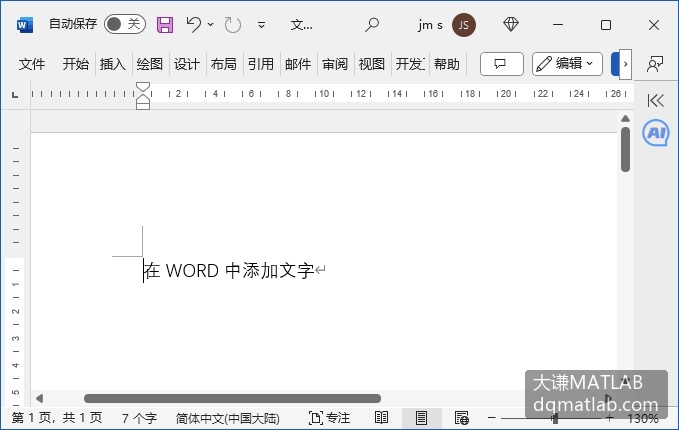
图1-1 创建新的Word文档并添加文字